Get your disk space back.
Old installers, duplicates and giant recordings go, when you say so.
Point it at a mess. See the tidy version. Say yes. Undo any time.
You're on the list. We'll email you once, when it's ready.
That didn't go through. Check your email address and try again.
Free and open source. Or $5 for a week with nothing to set up.
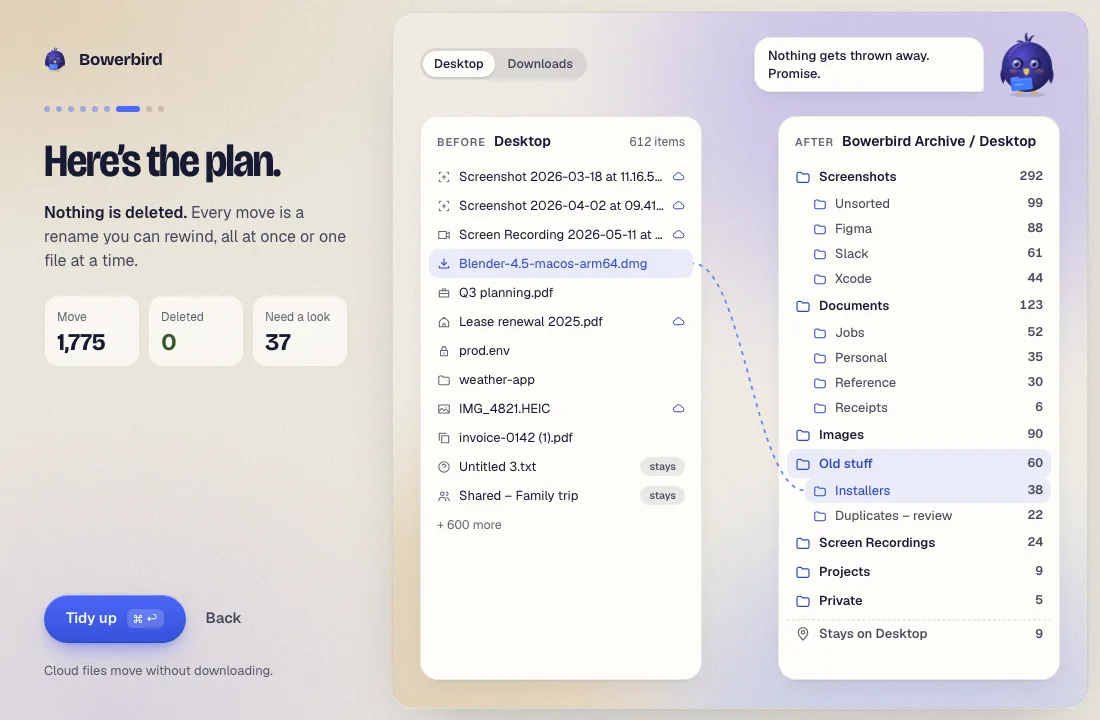
Years of screenshots, a resume, a stray password file, an old laptop's stuff copied inside. One tidy later: nine folders. Watch it, then rewind it.
9 items
Folderfinch600 filed into folders. 12 wait for you. Nothing deleted.
Pretend files, made up for this demo. See it on Mac, Windows, Android or iPhone.
Old installers, duplicates and giant recordings go, when you say so.
Your 2 TB plan is mostly empty. Old files move up there, safe and one click away.
Every move can be rewound: a whole tidy, one folder or one file.
Hundreds of them, sorted by the app they came from.
Most files only need sorting once, so that's how we charge. Want them kept tidy? There's a monthly plan too, and you can stop it anytime.
Pay once. I'll do the rest.
Tidy everything this week. Bird brain included: no setup, no keys. Enough for a very messy computer.
Join the waitlist$5once
$4a month
Your files, your rules.
Your files, your computer, your call. Here's exactly what it does, and what it never does.
Read the Privacy policy Read the Terms
Folderfinch is free and open source.
It thinks only as hard as each file needs.
On it!
Screenshots with screenshots, installers with installers. No waiting.
Hmm. scan0001?
A PDF called scan0001? It takes a closer look before deciding.
Where does this go?
WorkPersonal
Anything it can't place waits in Needs a look. You decide.
Seven days of Folderfinch with its bird brain included: no keys, nothing to set up. Enough for a very messy computer. $5 once, and it doesn't renew.
For folders that keep getting messy. Folderfinch keeps them tidy with automatic rules you write in plain words. $4 a month, cancel anytime.
File names and basic details: type, size, date and folder. If you turn on reading, also words read from screenshots, PDFs and images. Secrets are found and removed on your computer first. With a local model, nothing leaves your computer.
No. Files that live only in the cloud are sorted from their names and details and moved without being downloaded.
No. It moves files. Cleaning up is optional, you pick what goes, and even then it only goes to the Trash.
Rewind it: a whole tidy, one folder or one file. Anything it isn't sure about waits in Needs a look for you.
Mac comes first, then Windows and Linux. Join the waitlist and we'll tell you when yours is ready.
Your AI isn't supported? Something broke? Just want to say hi? Tell us.
Thanks! Your message was sent.
That didn't go through. Check your email address and try again.